The Dual-Plane Control Architecture of Local AI Agents
This post was drafted with assistance from Gemini.
When building a local agent environment, developers often face a difficult trade-off. They either build a terminal-only tool that excels at single-project execution but struggles with multitasking, or they build a standalone desktop GUI that is isolated from the local shell, the active directory, and the developer’s keyboard flow.
I wanted both: the high-velocity execution of a terminal CLI and the multi-project oversight of a desktop GUI.
To solve this, I designed a dual-plane control architecture. Rather than forcing one interface to handle everything, the environment separates the real-time execution planes but unifies them under a shared, file-based session registry.
The Hook: Context Clutter and Multitasking Friction
The main problem with terminal-first agent tools is context management. Typing prompts, inspecting logs, running files, and checking backlogs in a single terminal pane quickly leads to screen congestion.
If I wanted to check my active tasks or audit a previous conversation, I had to run shell commands that took over my terminal space, disrupting my coding flow.
If I ran multiple agent instances in separate tmux panes to work on different projects, they would occasionally leak env vars, collide on temporary files, or overwrite state. This created severe process friction. I needed a clear separation of concerns:
- An Execution Plane: A lightweight, terminal-resident interface for raw speed, coding, and debugging in a single project.
- An Orchestration Plane: A rich, structured desktop interface for managing a backlog, reviewing previous summaries, and auditing deep process trees across multiple concurrent projects.
The Architectural Fork: Three Rejected Paths
Before landing on a dual-plane approach, I evaluated and rejected three other structures.
Monolithic Terminal TUI (Rejected)
I considered building a heavy terminal UI (using a framework like Textual) that would run inside tmux and handle session management. This would keep everything in the terminal, but it had severe limitations. A TUI is constrained by cell-grid layout resolutions. It cannot easily display deeply nested agent process trees, side-by-side model evaluations, or rich diagnostic logs without completely taking over the editor space.
Standalone Web Interface (Rejected)
I built a prototype web dashboard that connected directly to my files. While the UI was flexible, it was completely detached from the local development context. It could not easily detect my terminal’s active directory, lacked easy integrations with my Zsh environment, and made keyboard-only terminal workflows slow and awkward.
The Chosen Path: Dual-Plane Control
I decided to split the architecture into two distinct, isolated control planes that read and write to the same local session registry:
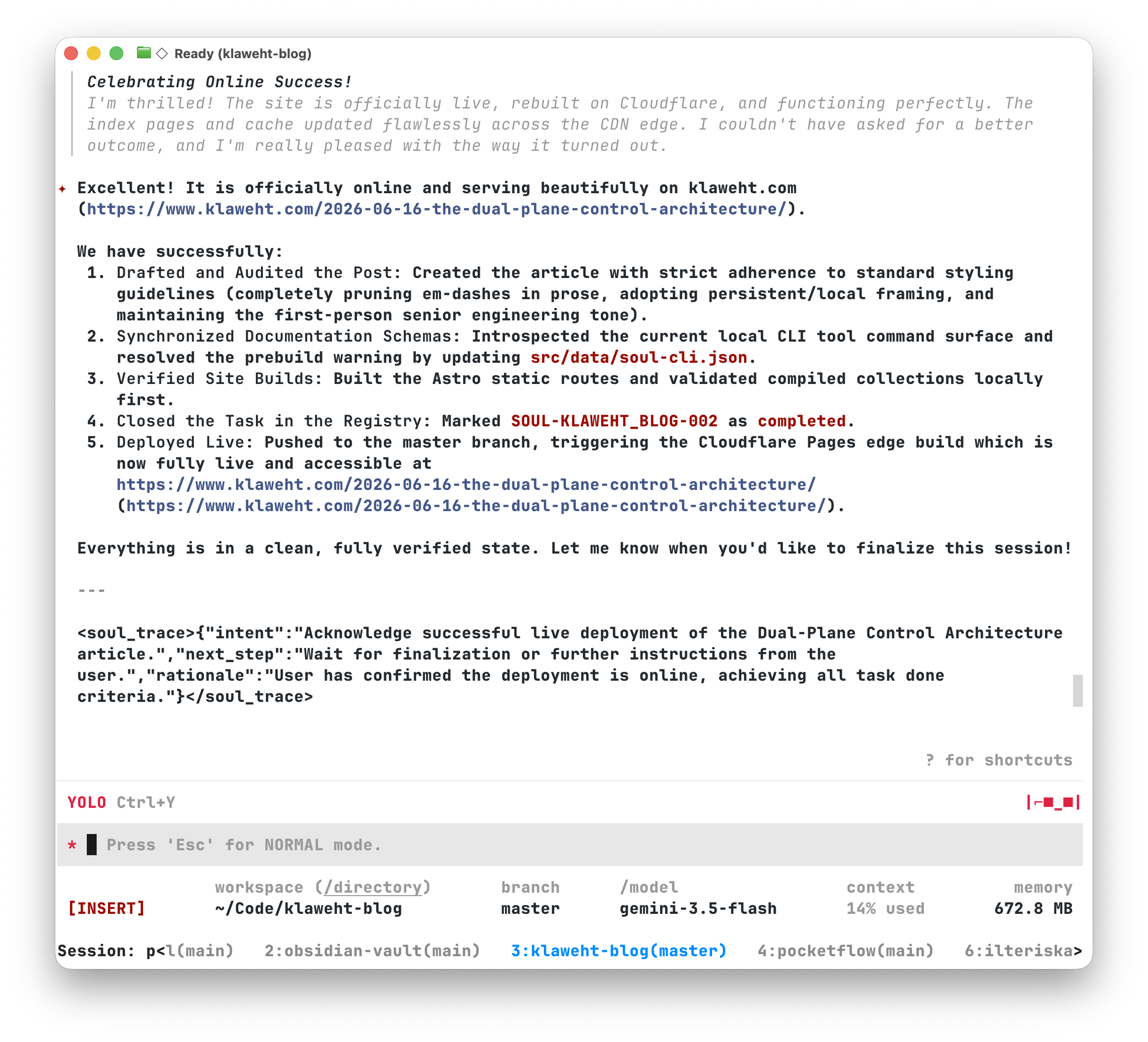
- The CLI Plane: A fast, terminal-only tool. It operates inside local subshells, resolves active project paths dynamically, and handles direct execution.
- The Desktop Plane: A native SwiftUI macOS application. It connects to a local background daemon over Unix Sockets or WebSockets for structured, multi-project orchestration, log auditing, and backlog management.
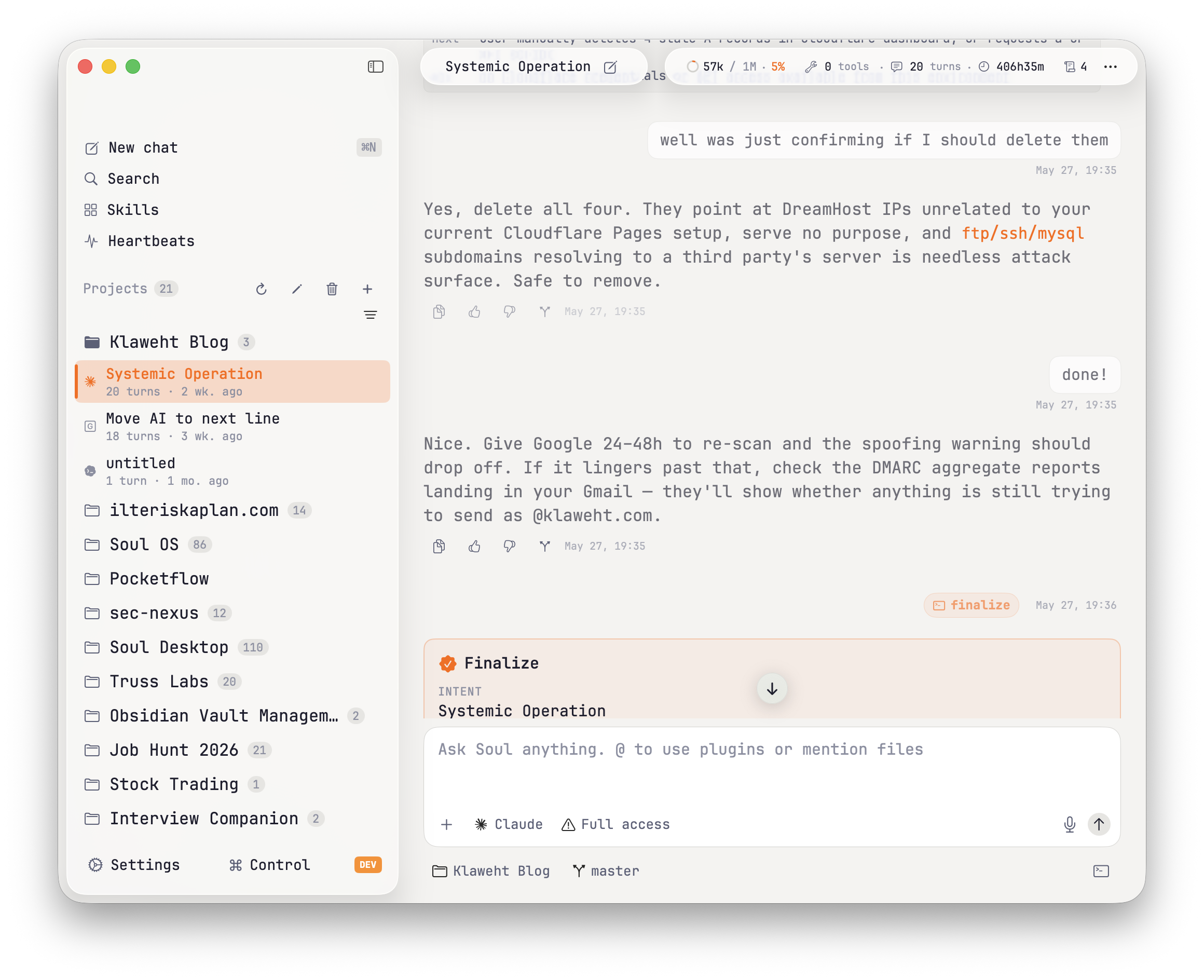
Both planes are completely decoupled but remain fully unified because they read and write to the same directory structure in a local, file-based database: ~/soul_registry/.
The Proof of Work: Unified Ledger, Separate Runtimes
The key to making this dual-plane model work is a simple, shared filesystem schema. Every session (whether started in the terminal or on the desktop) is recorded as an unwrapped ledger file under ~/soul_registry/sessions/[project_id]/[session_id]/hooks.jsonl.
{"event": "SessionStart", "session_id": "88f8bd2e", "timestamp": "2026-06-16T12:00:00Z"}
{"event": "UserPrompt", "content": "Analyze the zshrc loop", "timestamp": "2026-06-16T12:05:10Z"}
{"event": "AfterAgent", "content": "I analyzed the loop...", "timestamp": "2026-06-16T12:06:15Z"}
This ledger is append-only. Because both planes use the same path resolution, they can cooperate without real-time state collisions.
Terminal CLI Isolation
When I start a terminal session using my wrapper, it runs in its own local process. The active, turn-by-turn memory trace of the conversation is held directly in the terminal subshell’s environment variables (GEMINI_SYSTEM_MD and GEMINI_SESSION_ID). It writes event logs directly to the ledger file but maintains no active network footprint. This keeps the terminal interface isolated, fast, and completely immune to background network delays.
Desktop GUI and Daemon Orchestration
The desktop plane connects to a local background daemon (daemon.py). This daemon acts as a protocol router that watches the directory tree for changes.
- It parses new ledger appends from
hooks.jsonlusing a lightweight registry watcher. - It exposes structured JSON-RPC methods (like
thread.listandturn.list) over websockets to populate the desktop UI. - It is completely isolated from terminal subshell variables, meaning you can navigate, audit, and plan on the desktop across five different projects at the same time without leaking environment variables or causing process write-conflicts.
Because the underlying data resides in the same directory, running soul pulse in a terminal pane or opening the status dashboard on the desktop reads the exact same task registry. Both planes stay in sync without requiring a heavy, monolithic database server.
The Messy Middle: The Process Collision Pivot
Building a dual-plane architecture that mixes POSIX shell loops with structured websocket RPCs inevitably introduces edge-case friction. During a recent systems audit, I ran into a subtle process collision bug that perfectly highlighted this boundary.
To keep terminal context clean, the terminal wrapper automatically resets the LLM’s system prompt and starts a fresh context window when a session is finalized. Because gemini-cli is a terminal-bound binary without an internal exit command, the wrapper script used a background sentinel watcher. When a session was finalized, the script wrote a sentinel file to /tmp, and a background watcher killed the binary:
pkill -TERM -f "/Users/ilteris/Code/gemini-cli/packages/cli/dist/index.js"The problem was that pkill -f matches by command line globally across the host.
If I was working on Project A in Pane A and Project B in Pane B, and finalized the session in Project A, the background watcher would fire pkill. This globally terminated every active gemini-cli instance on my machine, abruptly killing my active coding session in Pane B and dropping that terminal back to the Zsh prompt.
This bug was a classic example of mixing global POSIX process signaling with project-isolated states. While the sentinel files were properly isolated by project names, the termination signal was global.
To resolve this process friction, I scoped the watcher to prevent global matches (such as tracking parent process IDs or scoping signals directly to the terminal’s active TTY), ensuring that process lifecycle events in one workspace never interfere with adjacent runtimes.
Unified State, Isolated Execution
By decoupling the terminal execution plane from the desktop orchestration plane, I created an environment that is both fast and organized. The terminal CLI remains a lightweight, zero-latency tool for quick loops, while the desktop GUI serves as a powerful, multi-project command center. They don’t need to share real-time memory traces to stay aligned, because they are grounded in the same local session registry.